
The Business Centers
A bank feed sees HOME DEPOT $450 and doesn't say what was bought. Global Office: Sync reads every line on the receipt, so each of these six screens is built out of paper you already scanned, with nothing to set up first.
Jobs Center
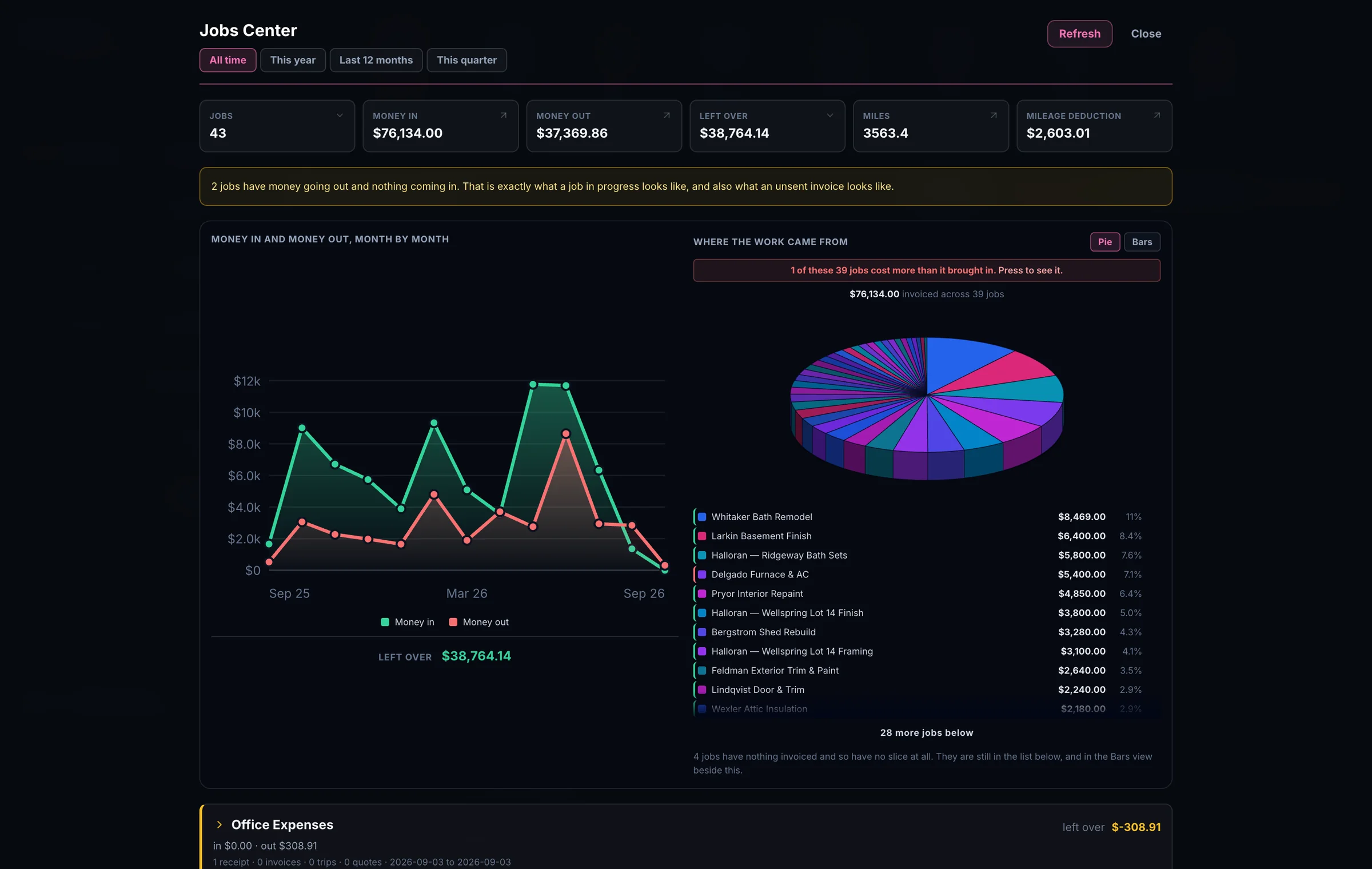
A project / job is whatever you type, and the list suggests itself from the jobs already in use. Anything that makes you build a list first would be asking you to do paperwork in order to file paperwork.
You may not know what share of your year rode on your biggest job, because working it out means adding up a year of jobs by hand. One glance at the wheel and you can see it. Eleven percent is one answer. Sixty is a very different one.
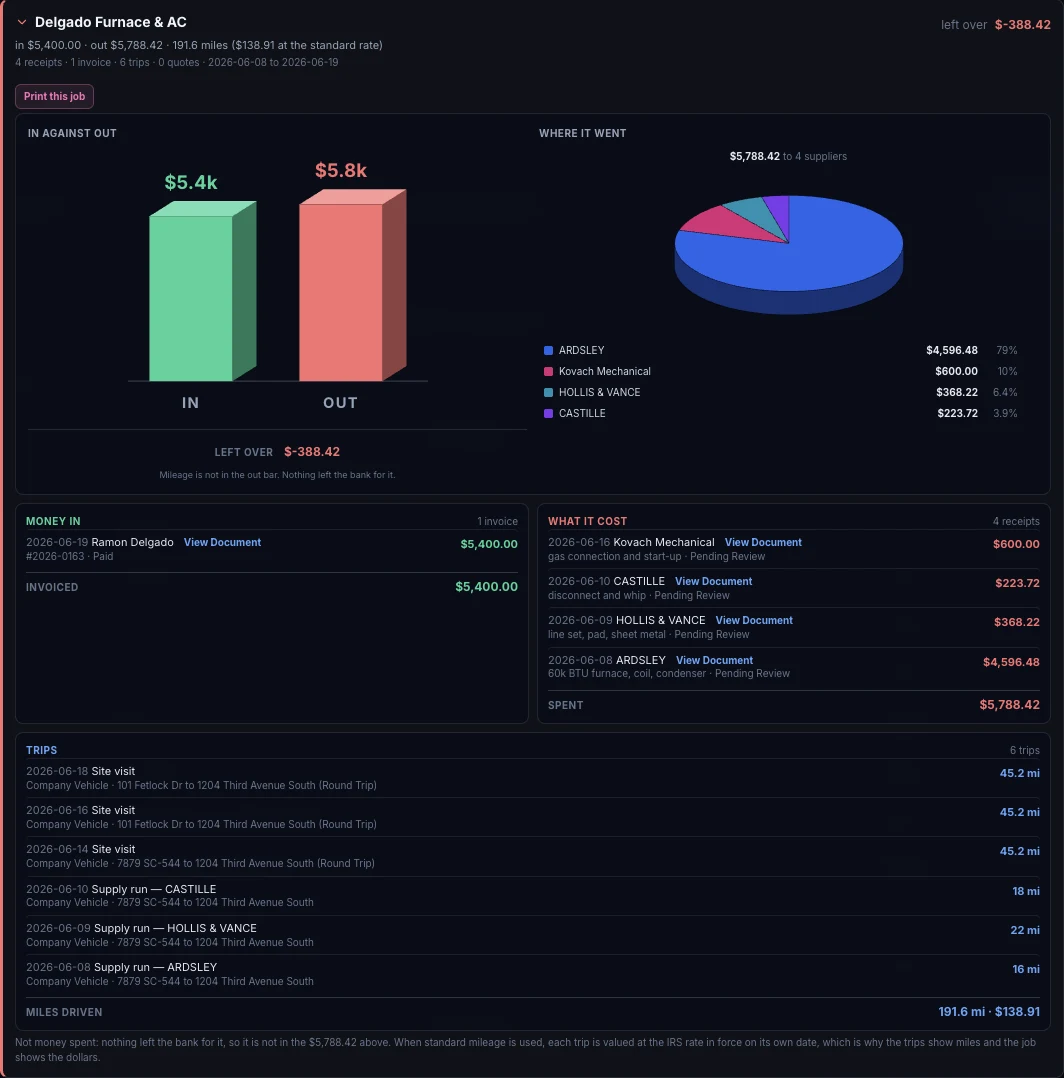
Open a job and it shows you. The Delgado job invoiced $5,400 and spent $5,788.42 on four suppliers, so it lost $388.42. Normally you'd wait to work that out until the end of the year, and by then it would be too late to adjust your pricing.
The invoice, every receipt that went into it, and all six trips are on the same screen, each one still just one click from the photograph it came off.
43 jobs - one of them cost more than it brought in. Sync found it from paper you'd already scanned.
Earning Center
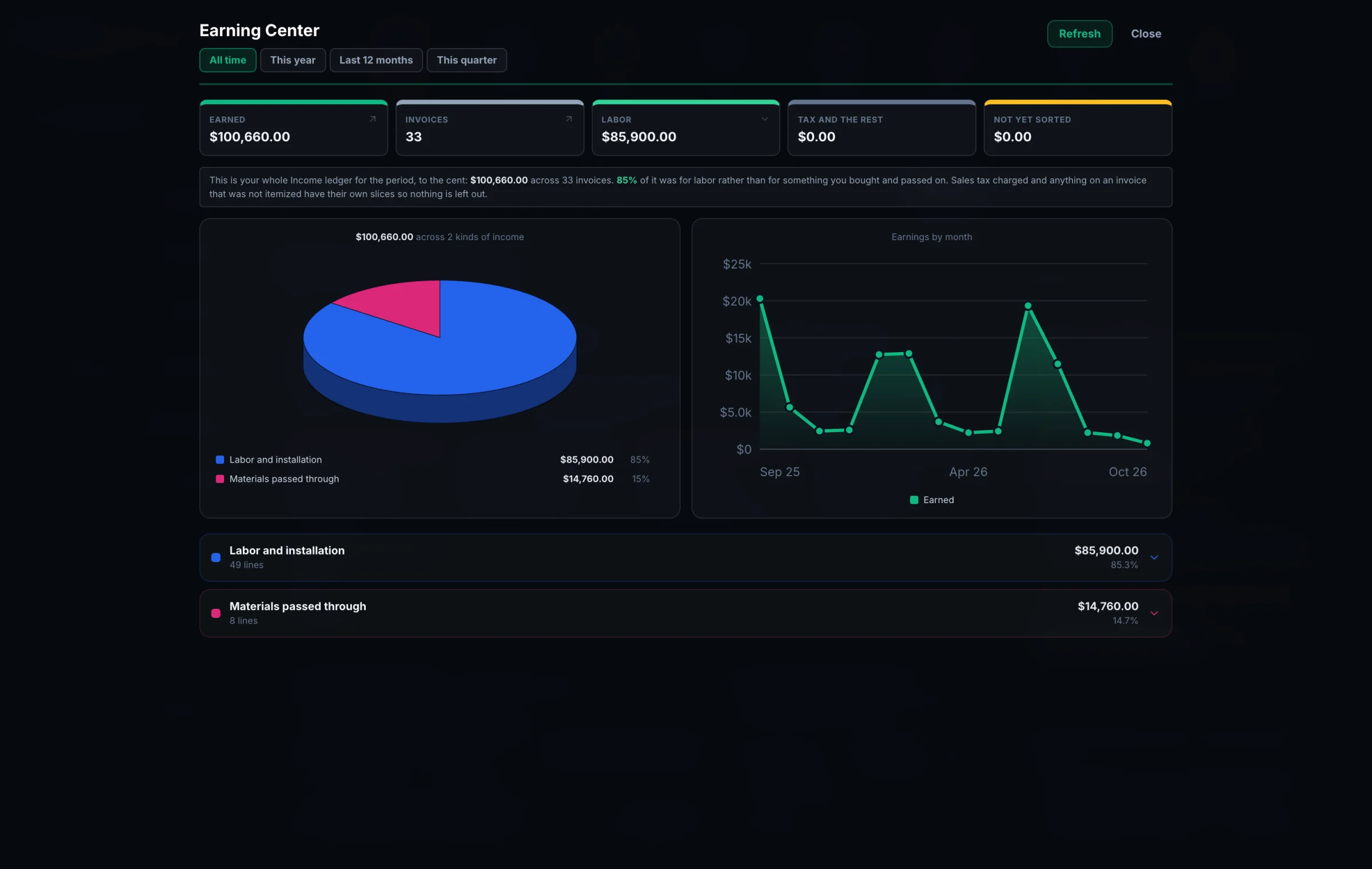
An invoice total doesn't say how much of it was labor and how much was materials you bought and passed straight through at cost. Global Office: Sync reads every line, so it can.
$85,900 of labor. $14,760 of materials. That's the number that decides whether you're profitable or just busy.
Spending Center
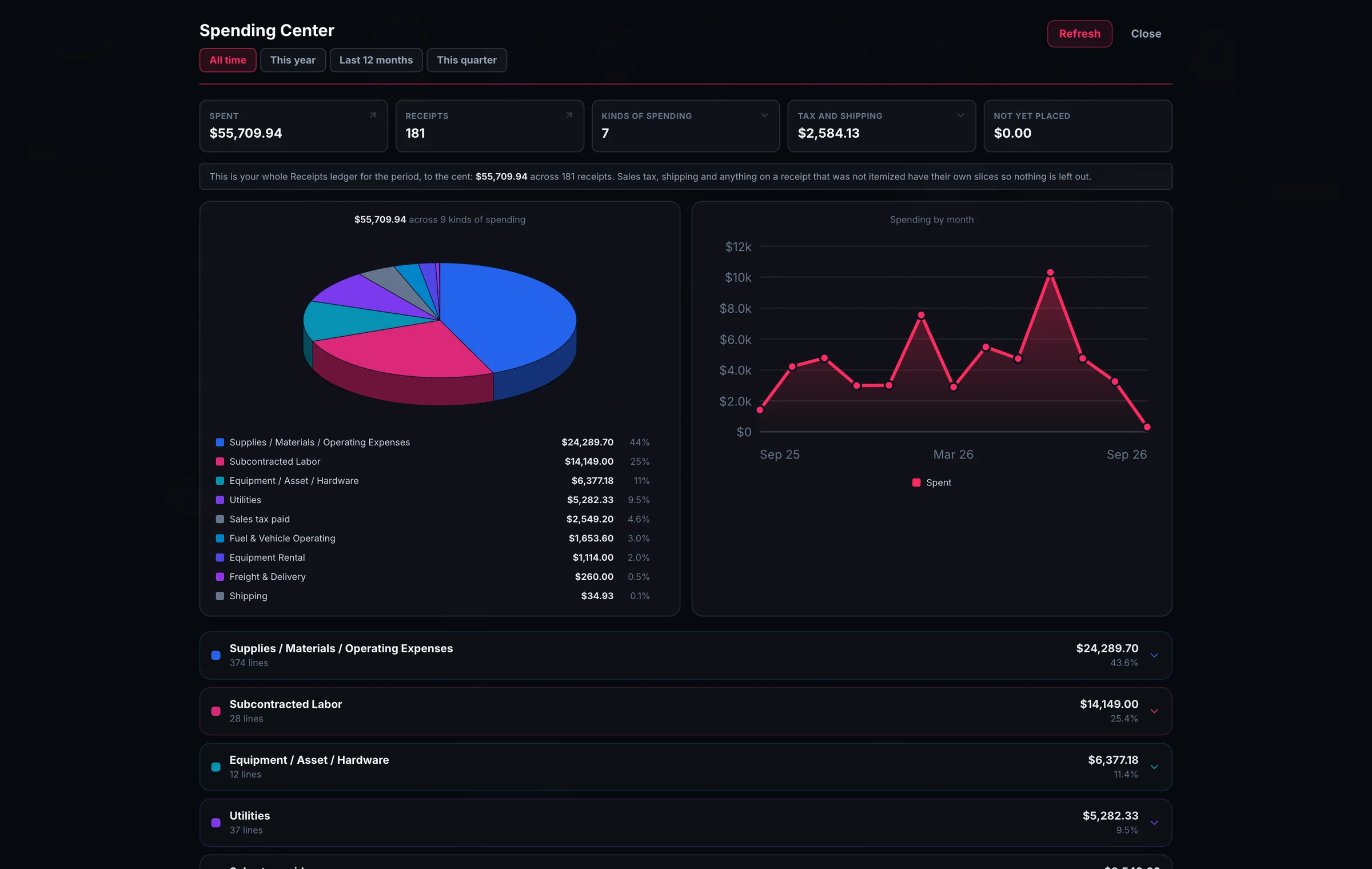
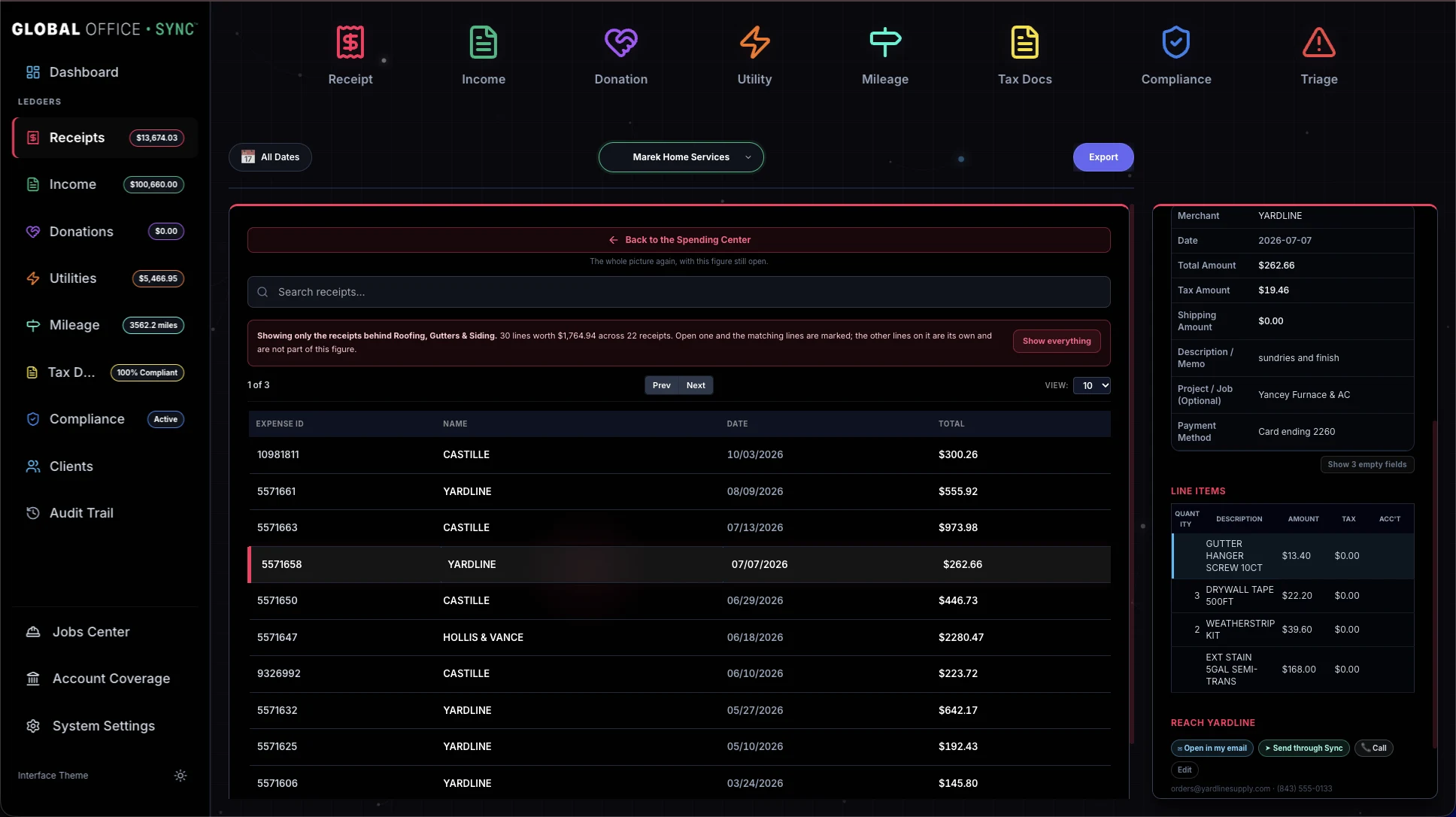
Not just where you spent it, but WHAT you spent it on - lumber, roofing, fasteners, subcontracted labor.
Sync already read the lines on your receipts, so there's nothing to set up first.
Tap a slice and the Receipts ledger opens on exactly the receipts behind it, with the matching lines lit up. One receipt can hold nine lines and only one of them roofing, so it shows you which one.
Price history
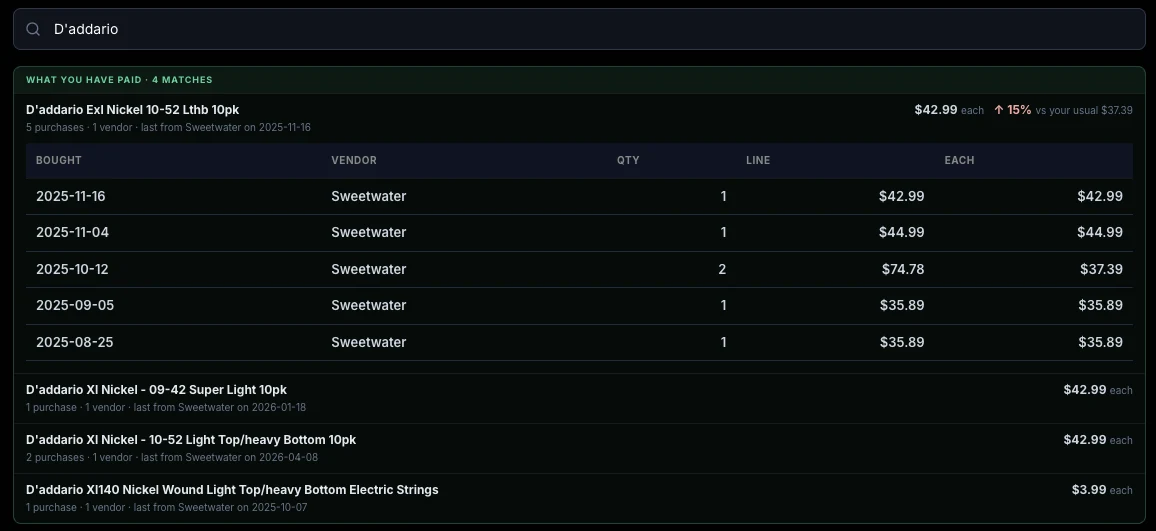
The app knows that because it read your receipts. All of them, down to the line, and it puts the price in front of you while you're searching rather than hiding it behind a menu.
What you last paid for a thing, and where, isn't a record of money you already spent. It is the number you need when you're pricing the next job.
Mileage Center
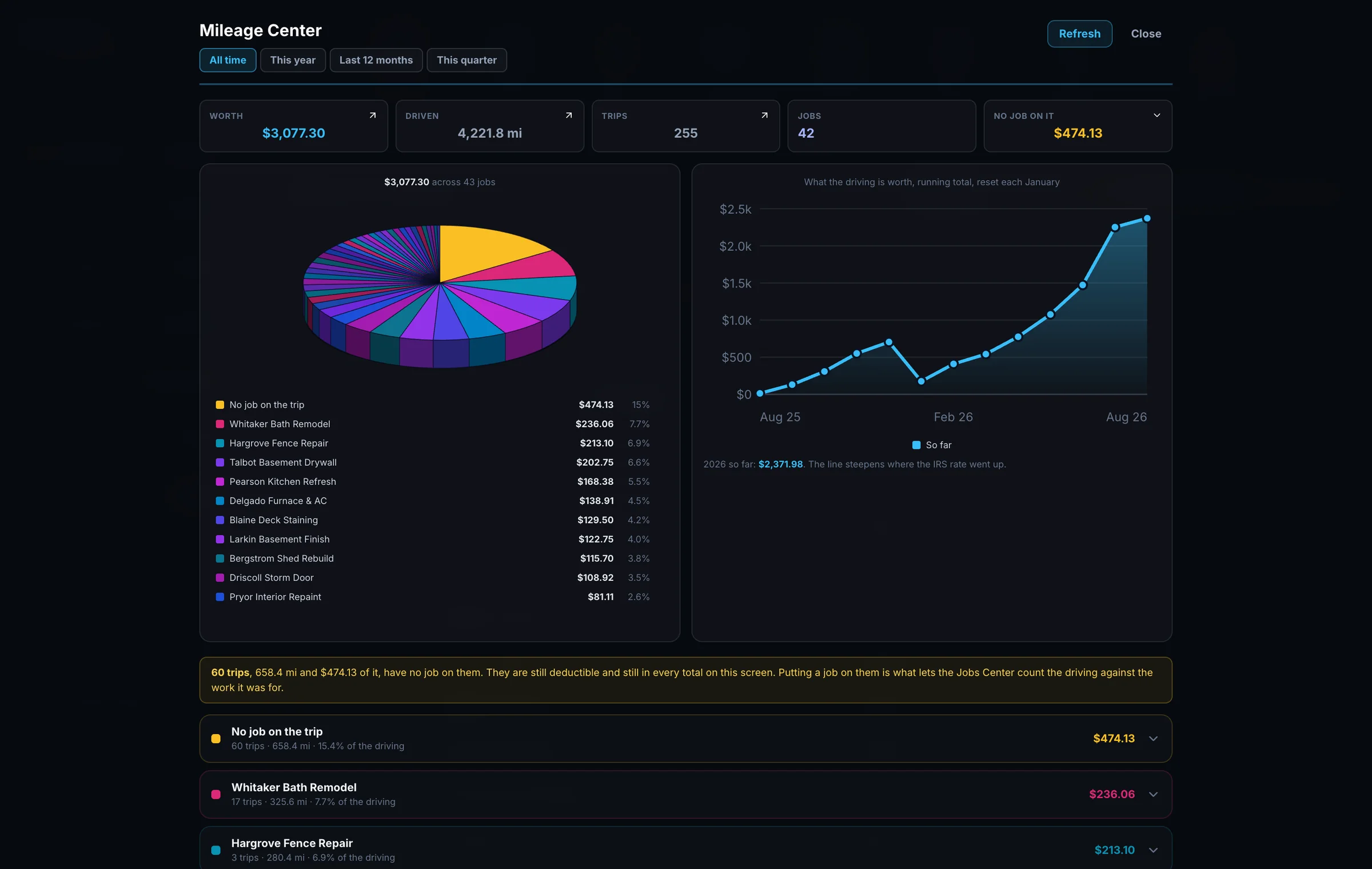
At the standard mileage rate, the driving here is worth $3,077.30 across 4,221.8 miles, 255 trips and 42 jobs. When standard mileage is used, every trip is valued at the IRS rate in force on the date it was driven. Not this year's rate. That day's rate.
The running total has a visible kink in it where the IRS moved the rate partway through 2026, which means everybody still using "the 2026 rate" has been wrong for half the year and might not know it.
Bills Center
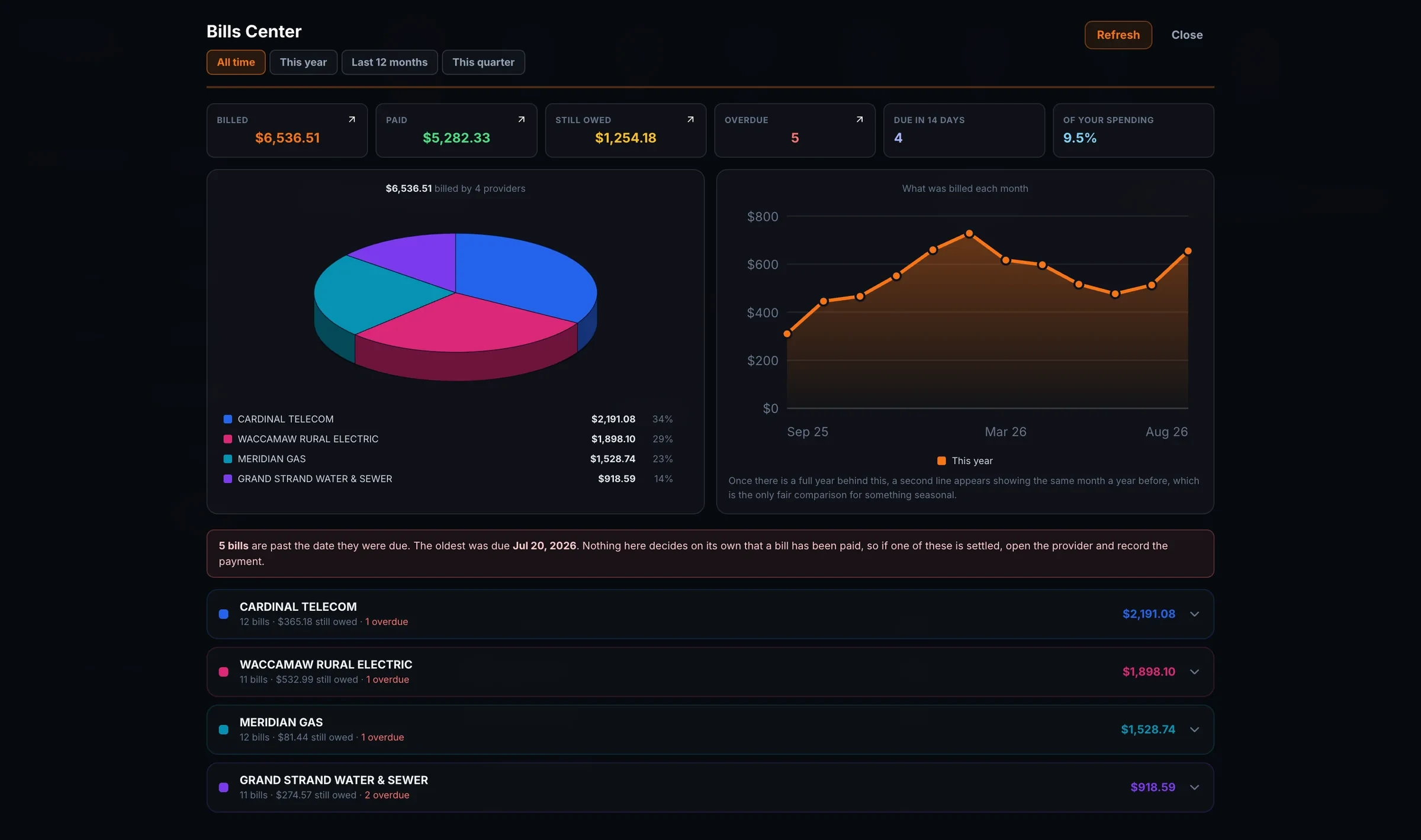
Not just the count, the dates. Five bills are past due, and the oldest has been sitting since July 20th. You see them provider by provider, with everything due in the next two weeks right beside them.
Settle one and record the payment on the same screen. A payment is recorded as its own expense, so a bill can be part paid, paid two different ways, or taken back. Sync never decides a bill has been paid. Only a person does.
Contact Center
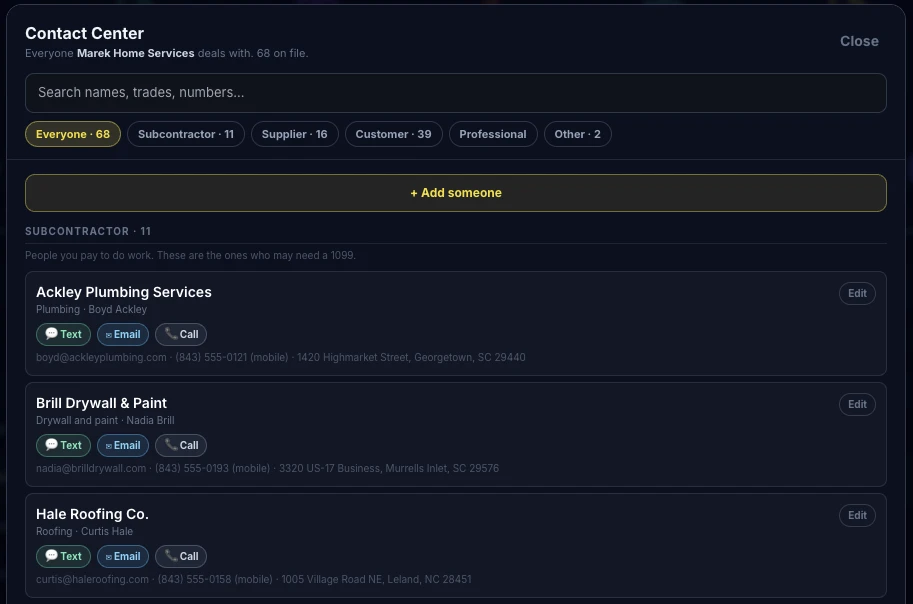
You never built this list. It assembled itself out of the documents you scanned, with the phone numbers and emails from the documents themselves, reachable from the record you happen to be looking at.
Which is also what makes the asking work: when a card says a subcontractor's certificate has run out, the Text, Email and Call buttons on it are filled in from here.
Global Office: Sync, Global Office: Sync - Contractors Edition and Global Office: Sync - Solo Edition get all six. None of them are cut down, and all six run on a phone as well as on a desktop.