
If you keep books for other people · Global Office: Sync
A bookkeeper's rate is built on knowing where things go, catching what's wrong, and standing behind the result. None of that's the part that takes the time.
One · See the whole practice
With no client picked, Global Office: Sync opens on the practice. The question you open the app with is what needs you today and whose it is, so that's the first thing on the screen.

What needs attention, across every client. One line per finding, with the client's name on it and the button that deals with it. Click a line and its full card opens in the Information Center, which stays open beside the dashboard.
Where your clients stand. How many need attention, how many have something worth knowing, and how many are all clear. Each is named in words as well as colored red, amber and green, and clicking any of them lists those clients.
A card for each ledger. The total, the count, and one line in words saying whether the work is up or down on the period before. It counts records rather than dollars, because your week is shaped by three hundred receipts, not by what they add up to.
Every client in one table. What needs attention, receipts, income, past due bills, miles, and the day something was last added, which is the column that tells you who you haven't heard from. Click a client to open their books.
Each client's month. Pick a month and every client reads Waiting on the client, Ready for you, Done or Nothing in, with the reason beside it. Nobody marks a month done. Sync works it out from what's in, so it changes the moment the last receipt lands.
Two · Tell them what their paper says
Your clients hand you their paper. Global Office: Sync reads every line of it, so by the time it's filed you know things about the business the owner might not even know. Which job made money and which one quietly cost them. What the money actually went on, and what it came in for.


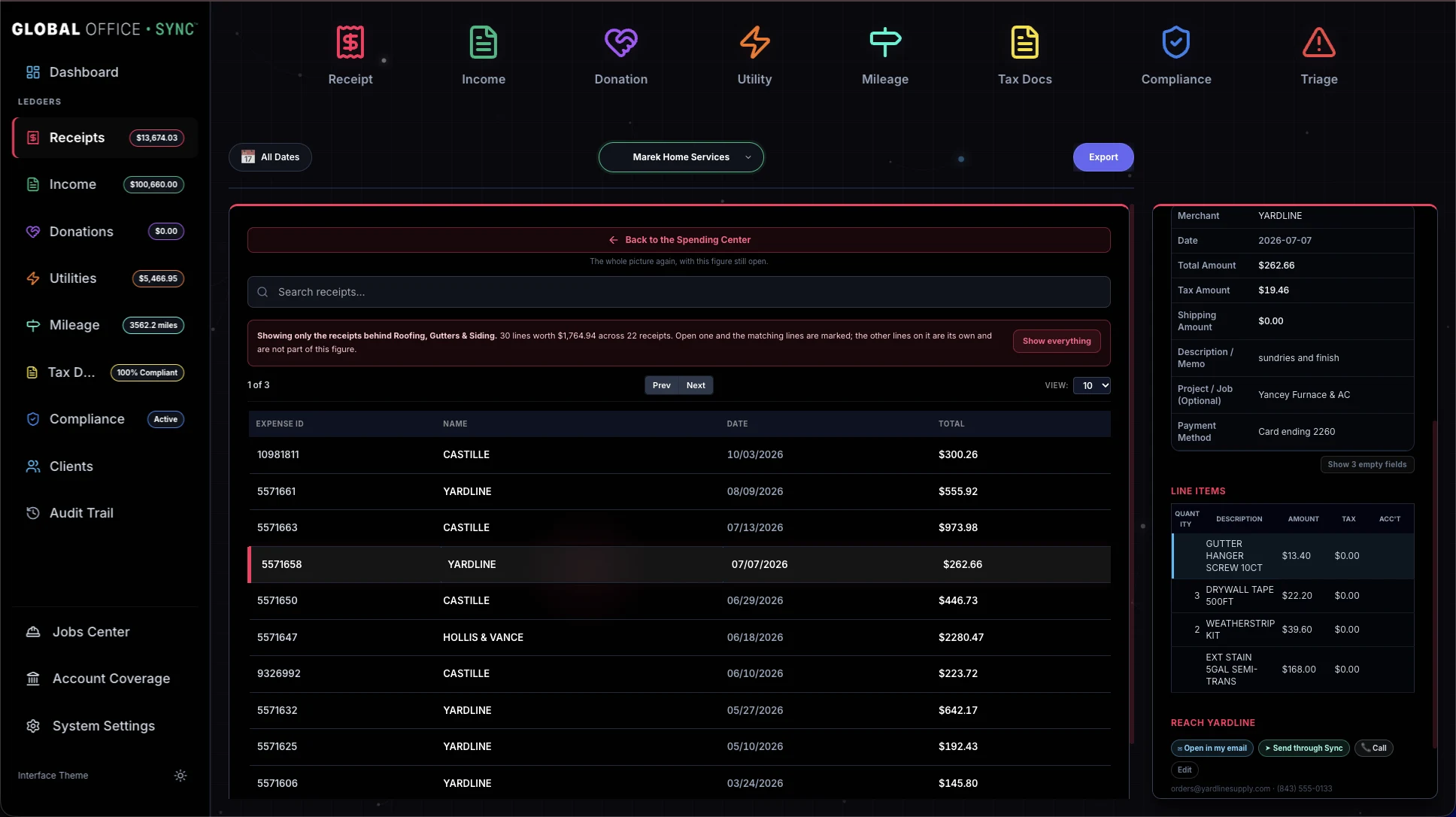
None of it needs setting up. It's built out of paper you were already filing. One honest catch: a job's figure counts only the records tagged to that job, so Sync tells you, right on the screen, how many receipts have no job on them.
That's a service you can add. Charge for it.
Three · Get the documents in
Global Office: Sync reads receipts, invoices, utility statements, certificates of insurance, 1099s and W-9s. It pulls every field off the page, matches each line item against that client's own chart of accounts, and proposes the entry. Each document type has its own button and its own reader, because a receipt isn't an invoice and an insurance certificate is neither.
Everything you actually bill for, you still do. Everything else stops being your job.
So the fee you charge now takes less of your day to earn. Take more clients at that rate, or keep the roster and get the hours back.
Photograph one document, drop in a PDF, or hand over a folder of many at once. Nothing has to be sorted first. You can drag in the client's whole magnificent disaster and let Sync establish what each document is1. Anything with no paper behind it gets typed straight in.
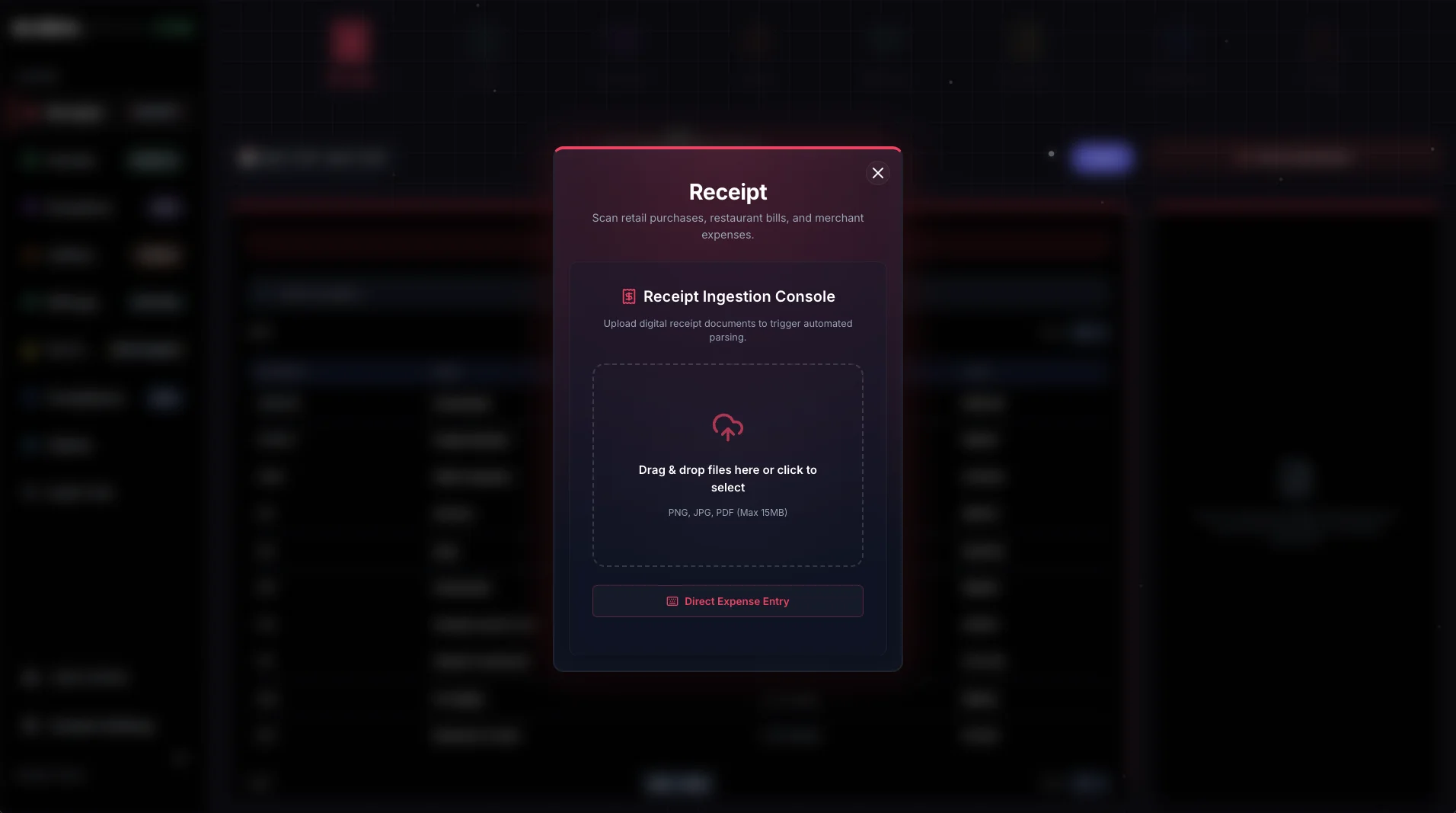

Your client scans it themselves. A client running Global Office: Sync - Contractors Edition sends their documents to your roster on their own, approved and with the photograph attached. No emailed archives, no "did you get my receipts," no asking twice.
Or you send them a link. For the client who will never use an app, a link they open on their phone. No account, no password, nothing to install. Time spent chasing paper is largely unbilled time.
Three, continued · The client who won't use an app
A client on Contractors or Solo Edition sends you their work as it happens. For everyone else, make a link and type what you need. They open it on their phone and add photos or PDFs. Global Office: Sync can send it for you as a finished email in your name, and replies come straight back to you.
The message is exactly what you typed, with the link under it. Every link expires, and you can withdraw one at any time.
And if a client goes quiet, they can be reminded. You decide, client by client, whether Global Office: Sync sends the reminder itself or drafts it for you to send from the Information Center, and whether it goes weekly or every few days. It's the same email with the same link, so the client never has two to keep track of. It only goes while the request is still open and nothing has come in since the last reminder, and it stops by itself once the request closes.
The client's page says who's asking and what for, and nothing else. It never shows a figure, a document, or anything sent before. A blurry or dark photo is caught right there on their phone, with Retake photo or Use it anyway, before anything goes.

What it looks like in their hand. One page, one question, a camera button, and a Send button. Nothing to remember and nothing to sign into.

When something comes back, you're told. A card in the Information Center says which client sent it and how many are waiting, and it stays until you've dealt with every document. There's no Dismiss on it.
Every document is scanned the moment it arrives, and none of it goes into the books until you've looked at it. Review opens the ordinary review screen, already filled in and already on the right client. Accept it, correct it, or decline it with a reason the client never sees. Once everything sent has been dealt with, the request closes itself.

Four · Find what's missing
Global Office: Sync watches every client on the roster, not only the one in front of you. Finding out in August that a certificate lapsed in July is finding out too late. And a utility bill that never arrived has no transaction to notice, so products fed by a bank feed don't know it even exists.
Five · Resolve it

A finding you can't act on is just another chore. So the card that tells you a subcontractor has no W-9, or that a certificate has run out, carries the button that asks them for it. Their name, their email and their phone are already filled in out of your client's own paperwork.
And the message is already written, in words that fit the reason: a certificate that expired, one that's about to, one that never covered the work, one reissued with less cover than the last, a 1099 you're getting in order. It hands the finished thing to your own email or messaging app, or sends it for you under your name, so it goes from you rather than from a robot. Change a word of it or send it as it stands.
You don't have to type anything. That matters because chasing paper is the job almost nobody does until it's too late, and the reason is never that it was hard. It's that it was unpleasant to start.
Six · Review and approve
That's where QuickBooks puts whatever it can't place, and somebody has to dig it all back out at tax time. Global Office: Sync matches line items against that client's actual chart of accounts, with their account numbers intact. Account 090 stays 090. What it can't place is marked and named, and comes back to you as a question rather than being swept into a catch-all.
Setting up a new client. Pull their chart straight out of their QuickBooks or Xero, upload it, or start from one of six that ship with Sync, so you're not stuck retyping someone's chart of accounts at 9PM.
Neutral about the platform. One client on QuickBooks Online, the next on Xero, the next on FreshBooks. Sync doesn't care, and you don't have to work three different ways.
It gets faster as it goes. Categorize something once and it stays categorized that way for that client. Month six takes less time than month one, and across a roster that compounds.
January. You know before December which subcontractors are missing a W-9, which client crossed the threshold and on what date, and which certificates lapsed during the year. 1099 season stops being a scramble, because the work got done last year, when the paperwork came in.
Seven · Send it to accounting
Nothing to move. Your clients stay in the QuickBooks, Xero or FreshBooks file they already have, and their accountant opens the same books at tax time. Global Office: Sync does the work before the books, and sends in finished entries with the photograph attached.
You see what will go before anything moves. Pick the client and the dates and Global Office: Sync counts it out, ledger by ledger. Open any row and every line item is there with the account it will land in.


Eight · Keep the trail behind it
Every field the scanner proposed and every one you corrected is kept side by side, for as long as the account exists, with the source document attached. Every entry says which account made it, by name. "I don't know who changed that" isn't an answer you should ever have to give a client.
You buy it once and own it. There's nothing to install: it runs in the browser, adds itself to your home screen, and updates itself with no app store in the way.